Recently we have had a couple of incidents where we had run out of disk space on our Windows servers. Sometimes we were able to rectify this just with simple housekeeping: Removing programs no longer needed, or deleting profiles, and temp files etc.
There have been times though when this just isn't enough, and nothing short of a bigger disk will do. With vmware it is possible to increase the size of a non system volume quite easily with a few simple steps. It can also be performed without shutting the server down and zero downtime.
Note: Before attempting this you need to check 3 things.
Showing posts with label VSphere. Show all posts
Thursday, 12 April 2012
Wednesday, 20 October 2010
Change VMWare ESX/VSphere Host VLAN ID
Recently we had an issue where we had not set the VLAN ID on 10 new VMWare VSphere servers. This resulted in us being unable to manage the VMWare hosts, the only way to resolve this was to change the VLAN ID manually on each of the hosts.
If you find yourself in this situation, you can use the following procedure to change the VLAN ID in VSphere/ESX.
Log on to a VMWare VSphere or ESX host with your ROOT account.
At the prompt enter: esxcfg-vswitch -l
If you find yourself in this situation, you can use the following procedure to change the VLAN ID in VSphere/ESX.
Log on to a VMWare VSphere or ESX host with your ROOT account.
At the prompt enter: esxcfg-vswitch -l
Wednesday, 19 May 2010
Changing the IP Settings and Hostname of an ESX VSphere Console
For all beginner ESX VSphere Administrator newbies:
Changing the IP for the Service Console must be done from the physical console or through a remote console session. If you make changes through a network connection such as SSH, network connectivity to the Service Console disconnects because the Service Console's network interface changes.
To set an IP address:
First logon to the ESX Console
Changing the IP for the Service Console must be done from the physical console or through a remote console session. If you make changes through a network connection such as SSH, network connectivity to the Service Console disconnects because the Service Console's network interface changes.
To set an IP address:
First logon to the ESX Console
Wednesday, 3 February 2010
Install SCOM 2007 R2 Agent to vSphere 4 (ESX) Servers
SCOM 2007 R2 includes agents for UNIX/LINUX servers, and we therefore decided to push these out to our ESX Hosts, running vSphere 4. All looked easy enough at first, go into administration, run a discovery, select “Unix/Linux computers”, enter host name/IP/IP Range and off you go.
This is a Microsoft product communicating with a Linux OS, so as expected its not as easy as that. All discovers OK and the install starts on the Hosts, the agent gets partially installed but then fails with a “Not Enough Entropy” error.
Thursday, 26 November 2009
Clustering windows Server 2008 on VMWARE vSphere
Having clustered SQL 2005 on virtual Windows Server 2008 64 BIT servers on vSphere, I thought I would post a guide to the process.
The first step is to create the new virtual machines. This is pretty much a case creating new VM's with a couple of extra steps. So as an example for the first box here goes;
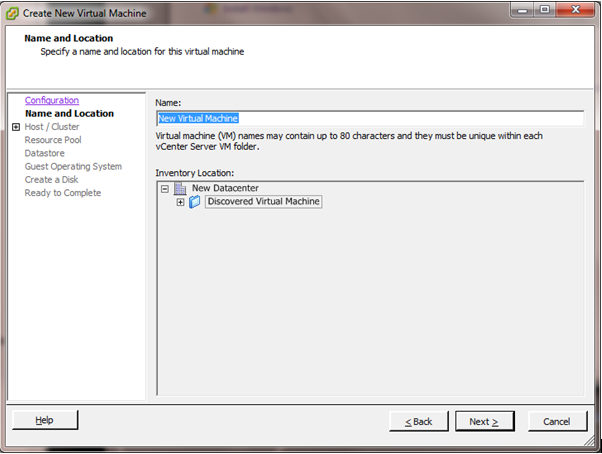
Open up your vSphere Client, and from Inventory host and clusters, or Inventory VM's and templates right click and select "new Virtual machine" and you are prompted with
Select typical and click Next
Subscribe to:
Posts (Atom)