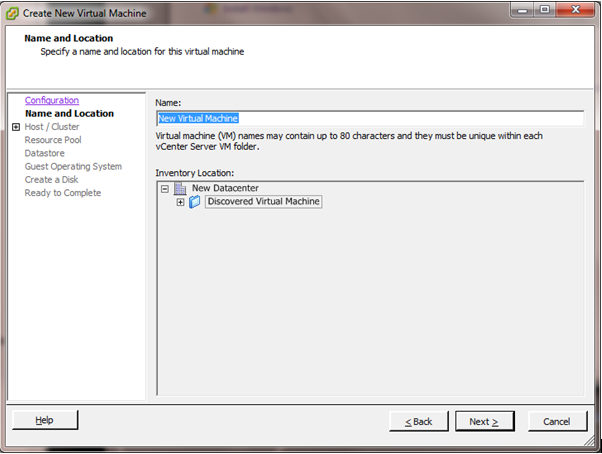
Recently we have had a couple of incidents where we had run out of disk space on our Windows servers. Sometimes we were able to rectify this just with simple housekeeping: Removing programs no longer needed, or deleting profiles, and temp files etc.
There have been times though when this just isn't enough, and nothing short of a bigger disk will do. With vmware it is possible to increase the size of a non system volume quite easily with a few simple steps. It can also be performed without shutting the server down and zero downtime.
Note: Before attempting this you need to check 3 things.
Showing posts with label server. Show all posts
Thursday, 12 April 2012
Thursday, 16 June 2011
Use a Proxy Server on Android 2.3
Like many other HTC Users, I am thoroughly enjoying the freedom and flexibility of my Desire HD. With the new Android 2.3 (Gingerbread) update last month, the usability has only made the experience even better.As with many other Smart phone users, my phone has become an intricate part of my life and I take it everywhere with me. However where I work it is getting increasingly difficult to get a reliable signal. Or more importantly a HSDPA or even a decent 3G signal. Result: I have to opt for Option B; company WiFi.
The problem here is that my company's Internet connection goes through a proxy server and is heavily filtered. I have found dozens of similar complaints all over the Internet, with everyone asking "Can I set proxy settings for WiFi on Android." Every time I find a negative response. In addition the same people complain that no effort has been made by the Android developers to solve this issue.
Wednesday, 20 October 2010
Error When Trying to Install WSUS on Server 2008
Due to one of our server's operating system corrupting on us, we had to rebuild it with a fresh install of Windows Server 2008 R2. This server amongst other things ran Windows Server Update Services for our entire network.
We got everything reinstalled and working fine from scratch until it came to installing WSUS.
Everytime we tried to install the "Windows Server Update Services" role it would fail almost immediately with the following error.
"The update could not be found. Either the update is not applicable to this computer or the update no longer exists. Verify that the update still exists and is applicable to this computer from your WSUS server or Windows Update."
We got everything reinstalled and working fine from scratch until it came to installing WSUS.
Everytime we tried to install the "Windows Server Update Services" role it would fail almost immediately with the following error.
"The update could not be found. Either the update is not applicable to this computer or the update no longer exists. Verify that the update still exists and is applicable to this computer from your WSUS server or Windows Update."
Monday, 21 June 2010
How to inject LAN drivers into WDS Server BOOT images
We use WDS (Windows Deployment Services) to image large numbers of computers. Lately we have been using a Windows Server 2008 R2 WDS server with a Windows 7 boot image. However several times we have found that newer PCs/Laptops (manufactured after Windows 7) have trouble PXE booting in to the Windows 7 boot image, due to the lack of LAN drivers.
We found that these drivers need to be "injected" in to the boot image (a .WIM file) to enable the PC/Laptop to be imaged using WDS. After several attempts we found the following procedure worked quite well to achieve this.
Before You Start
We found that these drivers need to be "injected" in to the boot image (a .WIM file) to enable the PC/Laptop to be imaged using WDS. After several attempts we found the following procedure worked quite well to achieve this.
Before You Start
- You’ll need a full install of WAIK (Windows Automated Installation Kit,) as it contains the necessary tools to manage WIM files. This can be done on any system, but if you’re running WDS it is best to perform the injection on the WDS server.
Labels:
2008,
7,
Boot image,
Deployment,
Drivers,
LAN,
server,
WDS,
Windows
Wednesday, 19 May 2010
Changing the IP Settings and Hostname of an ESX VSphere Console
For all beginner ESX VSphere Administrator newbies:
Changing the IP for the Service Console must be done from the physical console or through a remote console session. If you make changes through a network connection such as SSH, network connectivity to the Service Console disconnects because the Service Console's network interface changes.
To set an IP address:
First logon to the ESX Console
Changing the IP for the Service Console must be done from the physical console or through a remote console session. If you make changes through a network connection such as SSH, network connectivity to the Service Console disconnects because the Service Console's network interface changes.
To set an IP address:
First logon to the ESX Console
Wednesday, 10 March 2010
Simple File backup with Robocopy
One of the main issues when using any computer is regular backup of your precious data to protect against corruption and accidental deletion. Microsoft has always provided their "Windows Backup" utility and it is generally very good for full system backups and restores.
But what if you want to backup just your personal data or certain files or folders and not others? What if you just want to restore one particular file? There are plenty of third party tools that will do the job, but some can be rather expensive. Besides, why buy what you already have.
Supplied in Windows Vista, 7, Server 2008 and Server 2008 R2, as well as the previous resource kits is a utility called "Robocopy." This is a small command line based tool (a bit like XCopy) that can be scripted and configured with exceptions, to copy selective data either once or on a schedule and even write to a comprehensive log file.
But what if you want to backup just your personal data or certain files or folders and not others? What if you just want to restore one particular file? There are plenty of third party tools that will do the job, but some can be rather expensive. Besides, why buy what you already have.
Supplied in Windows Vista, 7, Server 2008 and Server 2008 R2, as well as the previous resource kits is a utility called "Robocopy." This is a small command line based tool (a bit like XCopy) that can be scripted and configured with exceptions, to copy selective data either once or on a schedule and even write to a comprehensive log file.
Thursday, 25 February 2010
Delete a Service from a Windows PC/Server
Occasionally when removing software, services remain installed on the PC/Server that are no longer required. These can be removed with a simple procedure.
First you will need to make sure the service is NOT running, by checking in the "Services" console. Stop the service if it is running. Then you will need to get the "Service Name" by viewing the service's properties.
Tuesday, 23 February 2010
Disable Skype Supernoding
Skype is one of the most popular pieces of VoIP and IM software available. It is fast, free, good quality, fairly reliable and seems to work almost anywhere. It is also one of the few more secure pieces of communication software, using basic PGP Encryption for calls and instant messaging.
Skype operates on a peer to peer model, rather than a server to client model using is own Skype Protocol and proprietary VoIP Network. This means that the user directory is scattered between "nodes" in the network, rather than using an expensive, centralised infrastructure.
Each client has a list of "nodes" called the "host-cache." This is a list of IP Addresses and Port Numbers of "supernodes."
Skype operates on a peer to peer model, rather than a server to client model using is own Skype Protocol and proprietary VoIP Network. This means that the user directory is scattered between "nodes" in the network, rather than using an expensive, centralised infrastructure.
Each client has a list of "nodes" called the "host-cache." This is a list of IP Addresses and Port Numbers of "supernodes."
Monday, 15 February 2010
Exporting and Importing File Screen Settings for Server 2008
Included in Windows Server 2008 and 2008 R2 is "File Server Resource Manager" which enables Network Administrators to set up Disk Quotas and File Screening. File Screening is particularly useful for protection against known viruses and preventing users from storing certain file types.
There are several File Screen groups and Templates already configured if you choose to use them.
Monday, 4 January 2010
Microsoft Project Server 2007 on Server 2008 R2
We recently had a request for a clean install of Microsoft Project Server 2007. As we are currently, where possible, installing only Server 2008 R2 boxes, it was agreed to install Project on an R2 Box.
Having looked at the pre-requisites as follows, this looked to be a simple install.
Windows SharePoint Services 3.0 or Office SharePoint Server with recent updates
Windows Server 2008 requires an updated version of Office SharePoint Server 2007 and Windows SharePoint Services 3.0.
Application Server role
Labels:
2007,
Microsft,
Microsoft,
Office,
Project,
Project 2007,
server,
server 2008,
Server 2008 R2
Running ISINTEG on Microsoft Exchange 2007
When you have the unfortunate issue of a corrupt data store in Exchange 2007, and the event logs are showing, for example, event ID 1160 for source MSExchangeIS you have to rely first on good old ISINTEG.
Now, nothing new here, ISINTEG has been around for many years and versions of Exchange, but when I recently had to run it I found that the listed format for running this did not work in Exchange 2007 i.e. ISINTEG –FIX
ISINTEG is in the same place as all other versions of Exchange the \BIN folder. If you have a standard install this will be located in C:\Program Files\Microsoft\Exchange Server\Bin .
To get this to run and fix the errors we were experiencing I did as follows;
Tuesday, 22 December 2009
Killing a hanging Windows Service
Services have the tendency to hang during a "Starting" or "Stopping" state causing a program to fail. Usually a reboot can correct the problem, but this is not always appropriate. There is an alternative in the form of an "sc query" and a "taskkill" commands.
The "sc query" is used to identify the PID or process identifier of a running service. This is required to perform the "taskkill" command.
To obtain the PID, first find out the exact name of the service you wish to kill. It can be found in the service properties.
The "sc query" is used to identify the PID or process identifier of a running service. This is required to perform the "taskkill" command.
To obtain the PID, first find out the exact name of the service you wish to kill. It can be found in the service properties.
Windows Server 2003 Service Timeout
Frequently on Windows Server 2003 when rebooting, a service may fail to start and the following message appears over the logon screen:
Or when trying to start or restart a service manually you may receive this message.
This is because the timeout delay is set to low for the service to complete its startup process and causes it to fail.
Wednesday, 16 December 2009
Configuring Windows Server 2008 R2 DHCP Split-Scope
At last with Windows Server 2008 R2 Microsoft have introduced an easy way to provide some form of redundancy for DHCP servers with the new Split-Scope Wizard. Administrators have always had to provide some form of DHCP redundancy in larger networks, this was usually done by manually splitting scopes across more than one server, and if a lot of scopes are required this can be a laborious job, and not the easiest to manage.
So what have Microsoft introduced now? Lets presume that you have 2 DHCP servers configured on your network. On server 1 you go ahead and configure your DHCP scope as you always have, include any Scope Options, server options etc. When you define your scope, include all the range that you will be wanting to split, for example a new scope;
IP Range 10.1.1.100 – 10.1.1.200
So, nothing new so far, once you scope is configured, right click on the new scope, select advanced, and then Split-Scope,
So what have Microsoft introduced now? Lets presume that you have 2 DHCP servers configured on your network. On server 1 you go ahead and configure your DHCP scope as you always have, include any Scope Options, server options etc. When you define your scope, include all the range that you will be wanting to split, for example a new scope;
IP Range 10.1.1.100 – 10.1.1.200
So, nothing new so far, once you scope is configured, right click on the new scope, select advanced, and then Split-Scope,
Labels:
2008,
2008 R2,
clustering,
DHCP,
Microsft,
Microsoft,
server,
server 2008,
Server 2008 R2,
windows server
Wednesday, 9 December 2009
Windows Server 2008 IIS7 HTTP Redirection
In IIS6 to redirect a virtual directory within a website to another URL, local or remote, was a nice and simple process. It was just a case of right clicking on the virtual directory, selecting properties and on the Directory Tab selecting “A Redirection to a URL” and entering the required address.
With the introduction of IIS7 in Windows Server 2008 this was published as an improved feature. So when asked to move a virtual directory, and forward all requests to the original address to the new URL I presumed this would be just as straight forward.
So first things first, HTTP Redirection is not included in the standard IIS7 setup, when you add it as a Role. So to start with using Server manager, add the Role Service to IIS (I will presume you know how to do this).
With the introduction of IIS7 in Windows Server 2008 this was published as an improved feature. So when asked to move a virtual directory, and forward all requests to the original address to the new URL I presumed this would be just as straight forward.
So first things first, HTTP Redirection is not included in the standard IIS7 setup, when you add it as a Role. So to start with using Server manager, add the Role Service to IIS (I will presume you know how to do this).
Labels:
HTTP,
HTTP Redirection,
IIS,
Redirection,
server,
server 2008,
url,
URL Redirection,
Windows,
windows server
Monday, 7 December 2009
Windows Server DNS Zone Import
Following on from my previous Blog "windows server 2008 globalnames zone" , once the new zone was created I had to add all the NetBIOS names of our servers etc. Now being the lazy admin that I am, I could not bring myself to add them manually, so thought that there must be an easier way of doing so, and fortunately, after some head scratching there is.
The Zone in question was an Active Directory Integrated Zone, so the first job was to set this as not Active Directory Integrated. Easy enough, in DNS manager, right click the zone and click Properties, on the general tab, click change next to Type, and uncheck “store the zone in Active Directory”.
Once that is complete, navigate to C:\windows\system32\DNS and locate the file containing the local copy of the zone, this will be named the same as the zone you have just amended in DNS Manager, in my Case GlobalNames. Open this up with Notepad, and below the ZONE RECORDS heading you will see the DNS entries listed, these are in tab delimited format of;
The Zone in question was an Active Directory Integrated Zone, so the first job was to set this as not Active Directory Integrated. Easy enough, in DNS manager, right click the zone and click Properties, on the general tab, click change next to Type, and uncheck “store the zone in Active Directory”.
Once that is complete, navigate to C:\windows\system32\DNS and locate the file containing the local copy of the zone, this will be named the same as the zone you have just amended in DNS Manager, in my Case GlobalNames. Open this up with Notepad, and below the ZONE RECORDS heading you will see the DNS entries listed, these are in tab delimited format of;
Windows Server 2008 GlobalNames Zone
Since before time began, administrators have always had the pleasure of Dealing with WINS (windows Internet Naming Service) for name resolution within Windows Domains. Now although WINS works, generally, when it has problems such as replication, they can soon become a headache, particularly when a great number of servers are involved.
With server 2008, and now in R2, a new DNS (Domain Names System) zone was introduces called GlobalNames. This has been introduced as a replacement (at your peril) for WINS for NetBIOS names stored in DNS. Now this Zone is static, and all entries have to be manually added, and are not updated by clients etc.
Recently we had an issue with a NetBIOS name resolving to different IP’s from different clients. Adding to the headache was that different client OS’s gave different results also. After some time investigating the oddity, I decided to have a look at implementing Global Names.
With server 2008, and now in R2, a new DNS (Domain Names System) zone was introduces called GlobalNames. This has been introduced as a replacement (at your peril) for WINS for NetBIOS names stored in DNS. Now this Zone is static, and all entries have to be manually added, and are not updated by clients etc.
Recently we had an issue with a NetBIOS name resolving to different IP’s from different clients. Adding to the headache was that different client OS’s gave different results also. After some time investigating the oddity, I decided to have a look at implementing Global Names.
Thursday, 26 November 2009
Clustering windows Server 2008 on VMWARE vSphere
Having clustered SQL 2005 on virtual Windows Server 2008 64 BIT servers on vSphere, I thought I would post a guide to the process.
The first step is to create the new virtual machines. This is pretty much a case creating new VM's with a couple of extra steps. So as an example for the first box here goes;
Open up your vSphere Client, and from Inventory host and clusters, or Inventory VM's and templates right click and select "new Virtual machine" and you are prompted with
Select typical and click Next
Subscribe to:
Posts (Atom)